First time and with 4 children

  • May 14, 2026
  • 6 replies
  • 22 views

Hi, Rich here from UK, first time interrailer and I have 6x four-day global passes all loaded into the app and I will do all tickets from my phone (2x adults and 4x children). I’ve made our four-day ‘trip’ and reserved seats where required, so all trains are known and loaded into the trip. I have also duplicated and connected the master trip 6 times so each traveller has the same trip.

Everyone’s pass is activated and we have pass references and validity dates (first train 26th May), but this is where I’m getting a little confused…

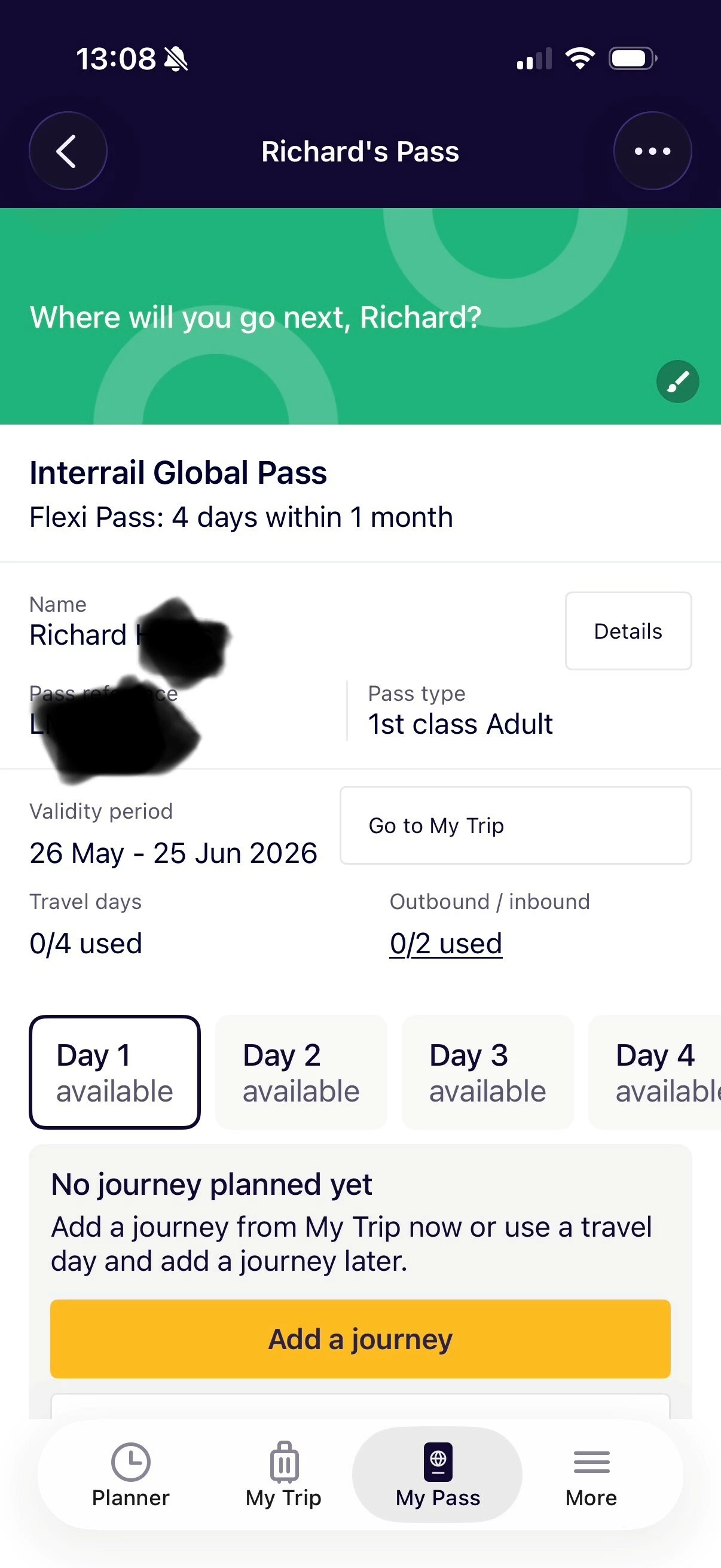
In ‘My Pass’ it says no journey planned yet and the DAY1, DAY2 etc slots are all free/available...and the yellow button says “add a journey”.

Should I A) now stop doing anything until the morning we get our first train, and then when I hit “add a journey” I can toggle the one(s) loaded into the ‘trip’ and create a ticket...then do this 6 times?

...or should I B) do it now and not worry about the ‘when’ as long as the ‘journeys’ from the ‘trips’ all correspond to the right day (Day 1) within the validity period?

...and then if A, do I just do that each day, or if B, can I generate all tickets for the four consecutive days we’re riding trains?

Thank you

6 replies

Forum|alt.badge.img+5
  • Railly clever
  • May 14, 2026

Everyone’s pass is activated and we have pass references and validity dates (first train 26th May), but this is where I’m getting a little confused…

In ‘My Pass’ it says no journey planned yet and the DAY1, DAY2 etc slots are all free/available...and the yellow button says “add a journey”.

Should I A) now stop doing anything until the morning we get our first train, and then when I hit “add a journey” I can toggle the one(s) loaded into the ‘trip’ and create a ticket...then do this 6 times?


No reason to have your pass activated already.

Just activate the journey on the actual travel day.(you need internet every day anyway) it will then generate the ticket code. (I am pretty sure, that you can not generate the ticket code before the actual day)


Thank you, so this picture is where all 6 passes are at if I look at the app now, am I right to not do anything further then until the morning we travel? And then add all journeys for that day to all 6 passes to generate all 6 tickets for each journey (which is three trains to get us to Paris)?


Forum|alt.badge.img+5
  • Railly clever
  • May 14, 2026

The add a journey button will open the linked trips. Where you can then activate the train journeys.

But that is something you do the morning you travel before you get on your train.

(generally its recommended to activate your pass only then, as once the set activation date passes you can no longer deactivate the pass. But this is only a problem if you set the date wrong and only notice it after the date has already passed)


Thanks again, so I then repeat that process with any trains all four mornings, always adding the journeys for that day only and generating the tickets?


Forum|alt.badge.img+5
  • Railly clever
  • May 14, 2026

Yes. Also generating the ticket/activating the first train of a day requires an internet connection. Adding more jouneys or changing a journey on the same day is possible without an internet connection.


Forum|alt.badge.img+10
  • Railmaster
  • May 14, 2026

(I am pretty sure, that you can not generate the ticket code before the actual day)

Actually, you can. But it's only useful to satisfy certain reservation sellers who insist on seeing an activated travel day, such as RENFE, CP and CFR ticket offices. That is of course useless, because you can (and should) cancel the future travel day after buying your reservation.