Answer

Trip connection, pass activation and changes after activation

  • May 20, 2025
  • 3 replies
  • 170 views

Dear community,

Eurail pass rookie here. I used paper version pass a couple of decades ago, now am very confused about the mobile pass and the planner app. I went through majority of the posts under this topic found not quite the answers I was after, I’m seeking help from you brainers. Believing no question is a dumb question especially when you spend money to organize your travel, any help or advice will be highly appreciated!!

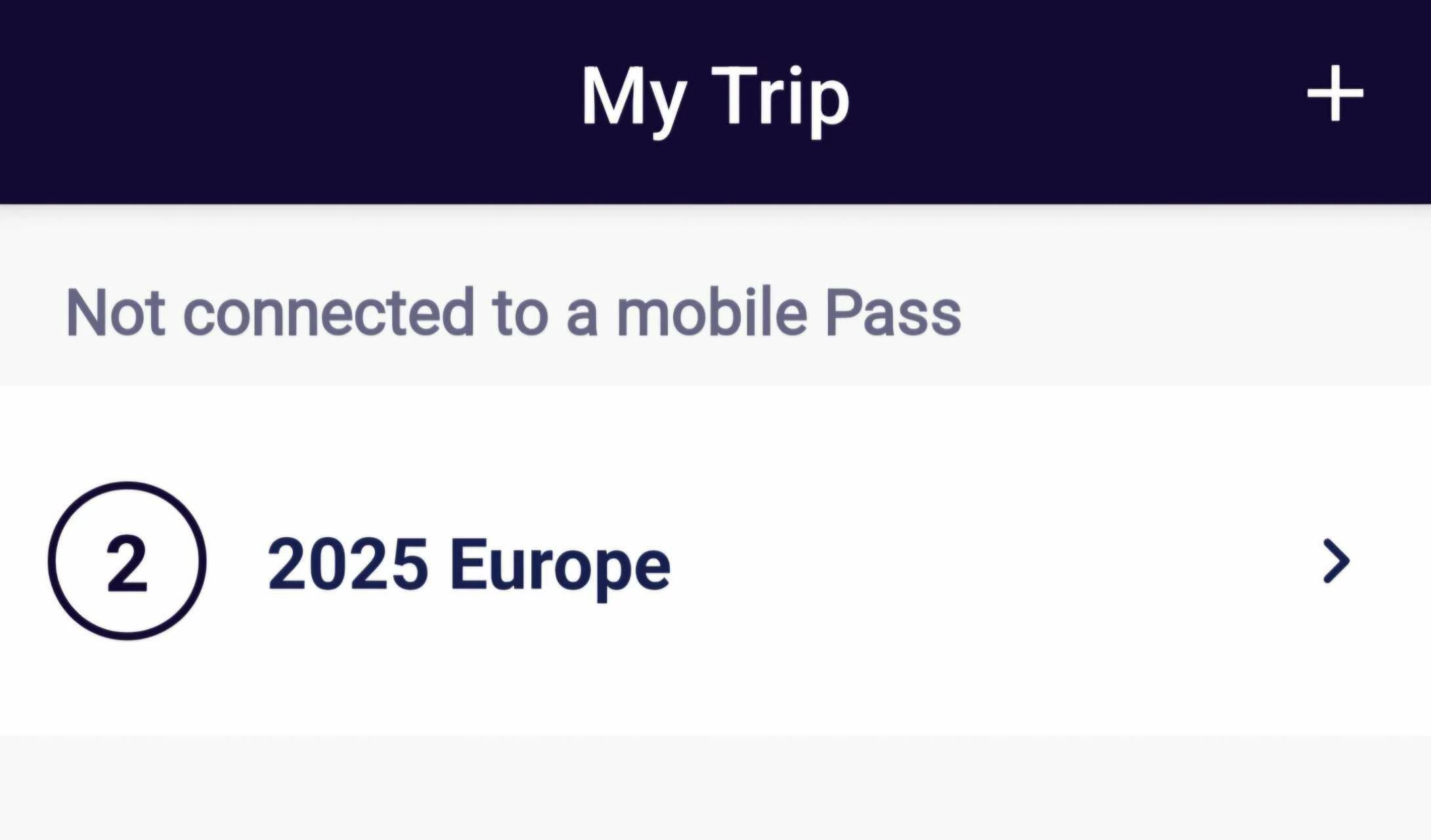
  1. Connect your trip to pass: I searched train timetable and saved some journeys on the days I planned to travel (global pass 10days in 2 months), but didn’t connect to my pass yet. The reason being firstly not finalized the trains to take yet, as well as to avoid accidently activate my pass. I understand it works like a journey diary, and the ticket inspectors will check this on you are on board. I’m wondering: (1) do i have to finalize the journey (i.e the trains I’m taking) before activation? (2) I have a number 2 in my trip folder title, not sure what that 2 indicates please? I didn’t create 2 trips (which I don’t think possible) anybody know what that means please?
  2.  Pass activation: Everybody suggests to activate your pass right before you go on board of your 1st train. I get that, especially when Eurail changed refund policy.  My concerns are: (1) can I still change journeys (i.e the trains I’m taking) after pass activation? (2) as all journeys need to be connected to your pass, when activate it, do all journeys get activated too? or you just activate the pass, each journey can be activated individually on the day of travel using the toggle? 

  3. Reservations: I had made a couple of reservation for high demand trains as according to the website you don’t need to activate your pass to make reservations. It looks like my reservations were not automatically linked to my pass (I think bcos I didn’t activate it). So I reckon pass and the reservations are separate stuff, you activate your journey on travel day with toggle, together with the reservation (when required) you can go on board on that train. Please correct me if I’m wrong. 

  4. I made a reservation but I changed my plan. Do I have to cancel it so it won’t be counted as a day of travel? Or I just leave it as I feel they won’t refund the reservation and also pass and reservation are separate things?


Grateful for all your advice! T.I.A xoxo

Best answer by rvdborgt

  1. (1) You don't need to fix your trip. It is not fixed if you connect it to a pass. The only requirement is that you add a train/journey to your pass before you board it. You can always delete trains or add new ones. (2) That's just the first character of your trip's name.
  2. Journeys are only activated if you do that explicitly. Activating a pass doesn't activate any journeys or a travel day.
  3. Pass and reservations are indeed completely separate. You need to show them both if the reservation is mandatory.
  4. Making a reservation doesn't use a travel day. Cancelling a reservation doesn't free up a travel day. Some reservations can't be cancelled, some can with a fee. Also, some reservations can be changed free of charge or with a fee lower than the cost of a new reservation.

In general, the best ways to book reservations are listed on this page:

https://www.seat61.com/interrail-and-eurail-reservations.htm

3 replies

Forum|alt.badge.img+10
  • Railmaster
  • Answer
  • May 20, 2025
  1. (1) You don't need to fix your trip. It is not fixed if you connect it to a pass. The only requirement is that you add a train/journey to your pass before you board it. You can always delete trains or add new ones. (2) That's just the first character of your trip's name.
  2. Journeys are only activated if you do that explicitly. Activating a pass doesn't activate any journeys or a travel day.
  3. Pass and reservations are indeed completely separate. You need to show them both if the reservation is mandatory.
  4. Making a reservation doesn't use a travel day. Cancelling a reservation doesn't free up a travel day. Some reservations can't be cancelled, some can with a fee. Also, some reservations can be changed free of charge or with a fee lower than the cost of a new reservation.

In general, the best ways to book reservations are listed on this page:

https://www.seat61.com/interrail-and-eurail-reservations.htm


  • Author
  • Rail rookie
  • May 20, 2025


  1. (1) You don't need to fix your trip. It is not fixed if you connect it to a pass. The only requirement is that you add a train/journey to your pass before you board it. You can always delete trains or add new ones. (2) That's just the first character of your trip's name.
  2. Journeys are only activated if you do that explicitly. Activating a pass doesn't activate any journeys or a travel day.
  3. Pass and reservations are indeed completely separate. You need to show them both if the reservation is mandatory.
  4. Making a reservation doesn't use a travel day. Cancelling a reservation doesn't free up a travel day. Some reservations can't be cancelled, some can with a fee. Also, some reservations can be changed free of charge or with a fee lower than the cost of a new reservation.

In general, the best ways to book reservations are listed on this page:

https://www.seat61.com/interrail-and-eurail-reservations.htm


Dear Railmaster rvdborgt,

Thank you so much for your prompt and kind advice, totally helpful and clear!

I’m still confused about your comment in BLUE.

Making a reservation doesn't use a travel day. Cancelling a reservation doesn't free up a travel day. Some reservations can't be cancelled, some can with a fee. Also, some reservations can be changed free of charge or with a fee lower than the cost of a new reservation.”


I don’t think I would use my pass on the day which reservation’s made but I changed my mind, as my 10 days will be consumed before that. Also I tried to find where I could cancel that in RP app, no luck at all. It stopped at the partners’ page.

(1) Does it indicate I have to go to those provider website to cancel my reservation? 

(2) In case that reservcation I no longer need cannot be cancelled, will it use a travel day? To my understanding, your comment in BLUE “cancelling a reservation doesn’t free up a travel day” is based on the condition that the travel day is actived but the traveller changed or cancel the journey they activated for that day. Please correct me if I’m wrong.

Thanks heaps. xoxo


Forum|alt.badge.img+10
  • Railmaster
  • May 20, 2025

You can't do anything with reservations in the Rail Planner app. You can only see any reservations that you booked via the Interrail website, if you you're logged in on that website through the app.

  1. Where/how to cancel/change a reservation depends on where you booked it, and that would indeed normally be on the website/app where you booked it.
  2. A reservation on itself does not use a travel day. You can book many reservations without even having a pass yet. A reservation is completely separate from your pass. So whatever you do with it, it does not influence how many travel days you have.